Teams: collaborate and lipsync together
Teams brings everyone in your organization under one shared sync. account, centralized billing, shared keys, role-based access, and team-wide usage tracking.

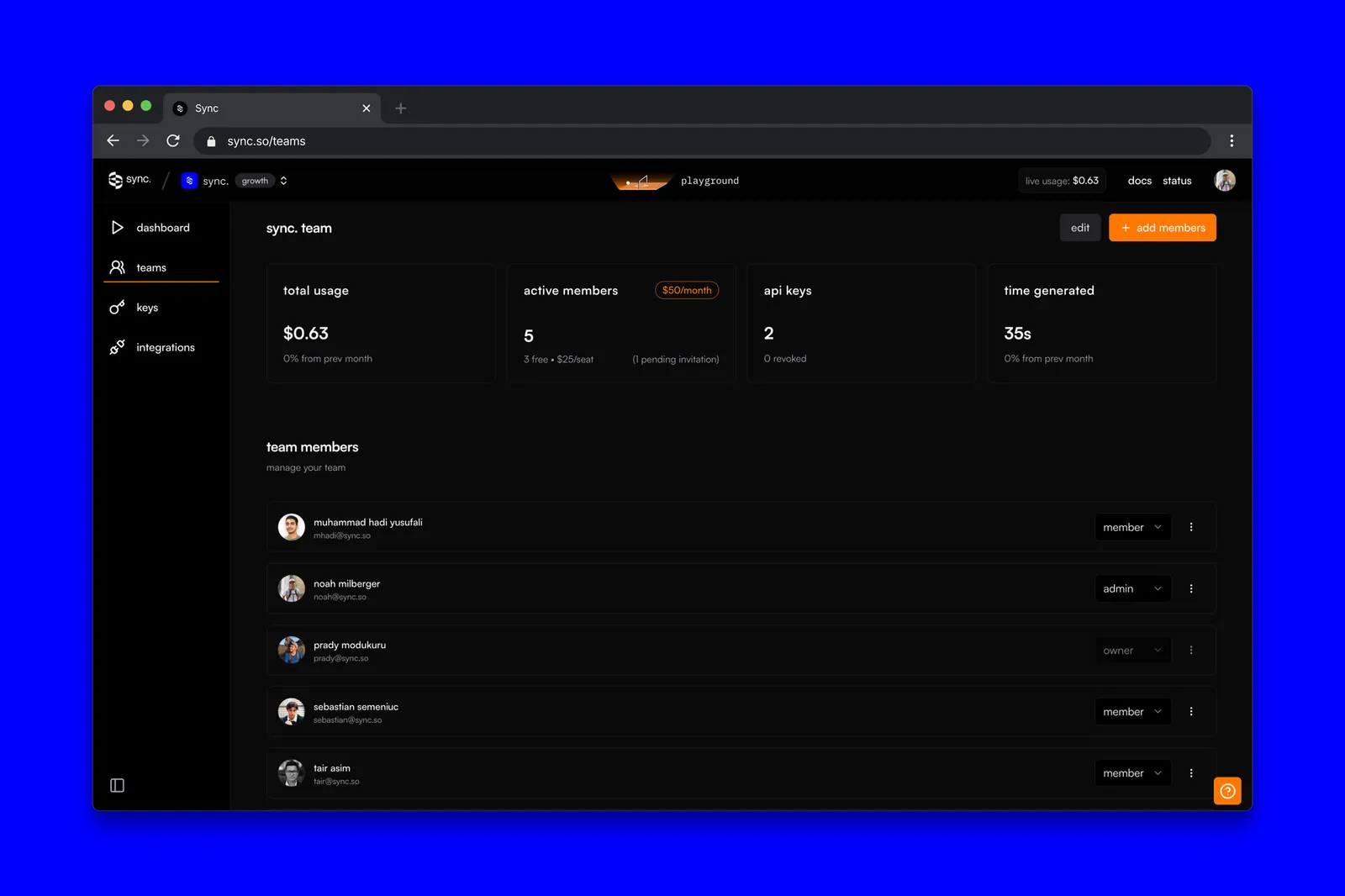
Teams is live, and it’s the simplest version of a question we kept getting from our larger users: how do I run sync. inside an actual team without juggling five accounts and a shared password?
You don’t have to anymore. Below is the short version of what Teams does, who can do what, what it costs, and how to spin one up.
What is Teams?
One shared account, multiple people. With Teams you can:
- Centralize billing, one card, one invoice, no internal expense reports
- Share keys, generate and share API keys inside the team
- Track usage, see your own activity and the team’s at a glance
- Manage members, invite, remove, change roles
Roles and permissions
Three roles: Owner, Admin, Member. Whoever creates the team is the Owner by default and can invite others as Admins or Members.
| Permission / feature | Owner (team creator) | Admin | Member |
|---|---|---|---|
| Manage billing | ✓ | ✗ | ✗ |
| Manage members | ✓ | ✓ | ✗ |
| Manage keys | ✓ | ✓ | ✗ |
| View overall team usage | ✓ | ✓ | ✗ |
| Create keys | ✓ | ✓ | ✓ |
| View personal usage | ✓ | ✓ | ✓ |
Anyone on the team can run generations under the shared account. For now, generations are private to whoever created them. Shared collaboration on individual generations is coming next.
Plans & pricing
Teams is available on the Growth, Scale, and Enterprise plans, priced per seat:
| Plan | Free seats | Cost per additional seat |
|---|---|---|
| Growth plan | 3 | $25/seat/month |
| Scale plan | 5 | $25/seat/month |
| Enterprise plan | Custom | Book a call with our team to learn more |
How to get started
Create team flow in sync. playground
- Log in and open the Teams dropdown in the top-left header
- Click Create Team and fill out the form
- Invite members as Admins or Members
- Manage usage and roles from the Teams page
Ready to try Teams?
If you’re solo, ignore this and keep going. If you’re not, Teams should make the parts of sync. that aren’t lipsync, billing, access, visibility, disappear into the background so you can focus on the actual work.
Questions or feedback: [email protected].