Premiere Pro plugin, sync mode selector, and API-first architecture
PluginPremiere ProAPISync ModeCSV Export
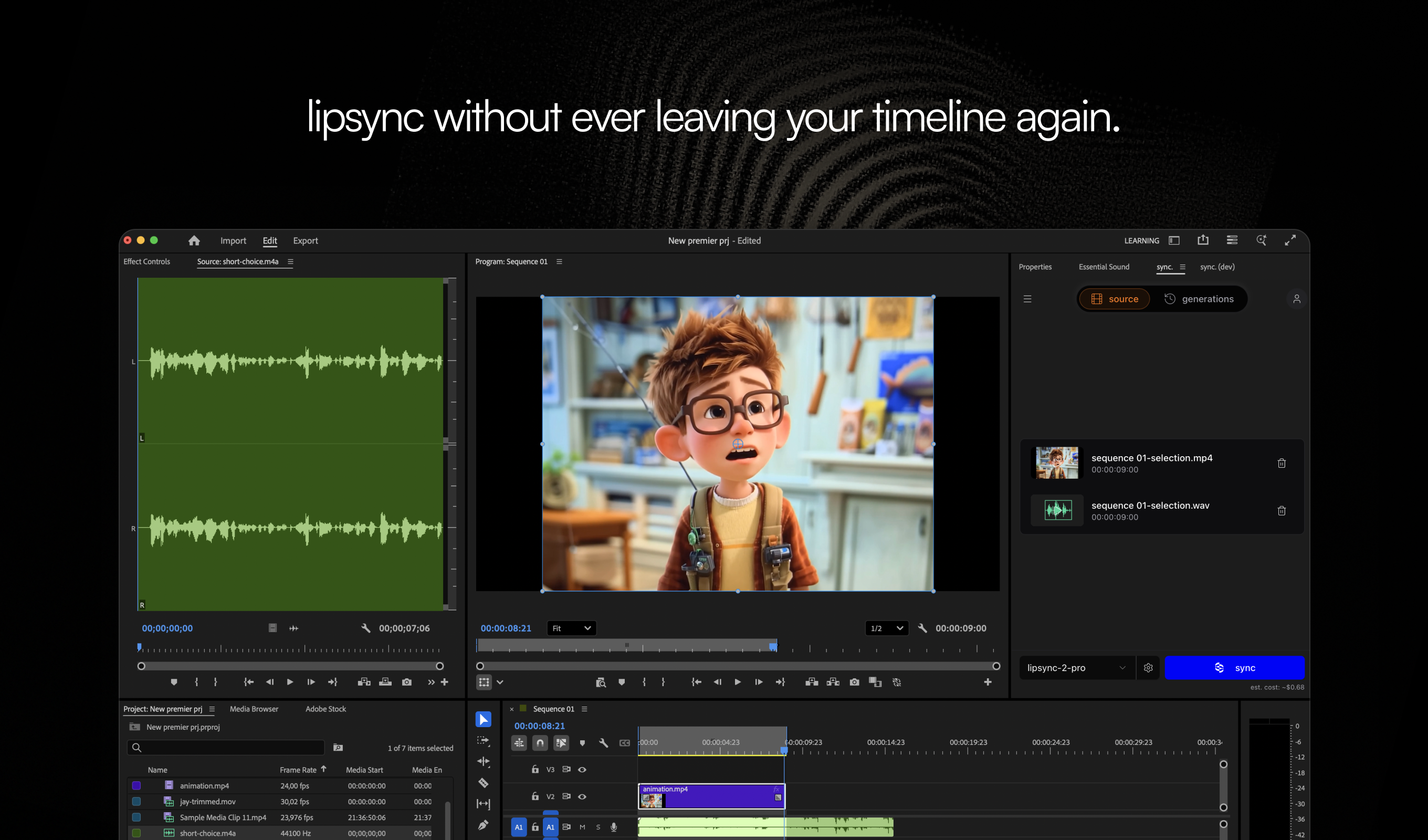
- Adobe Premiere Pro plugin - Lipsync without leaving your timeline. Select in/out points on your sequence, pick clips from the media browser, or upload directly into the plugin. Generate, preview, and drop the result back into your edit. Built for the way editors actually work. Learn more
- Sync mode selector - When your audio and video have different durations, you can now choose how the model handles the mismatch.
bounceloops the shorter media back and forth,cut_offtrims the excess,silencepads the gap, andremapstretches to fit. Learn how each mode works - API-first architecture - Revamped our backend to be API-first - the same endpoints that power Studio are now available to you. First up: the Assets API lets you list, search, and filter your media library programmatically. You can also pass an
assetIddirectly to the generation endpoint instead of a URL. More endpoints coming soon. - CSV usage export - Download your detailed spending breakdown for any date range from Usage for reporting or feed it into other tools.
- lipsync.com - A central resource for everything lipsync - guides, use cases, comparisons, and tools in one place. Check it out
Improvements
- Select multiple assets in a project and delete them in bulk.
- Studio loads faster - preloaded video thumbnails and deferred heavy assets for quicker initial page load.
- Faster API responses - improved authentication speed and optimized generation queries.
- Face selection is now always visible after video upload - when multiple speakers are detected, you’re prompted to pick the active face directly on the video.
- Copy Voice ID button in the TTS voice selector for easier API integration with cloned voices.
- Delete your account directly from Settings - no support ticket needed.
Bug fixes
- Fixed billing and usage filters not applying correctly for certain date ranges and plan types.
- Fixed Studio freezing during video upload causing page unresponsive errors.
- Fixed videos showing black screen as first frame in project view.
- Fixed usage dropdown not filtering correctly.