Studio Lite redesign with mobile support
StudioModelMobile
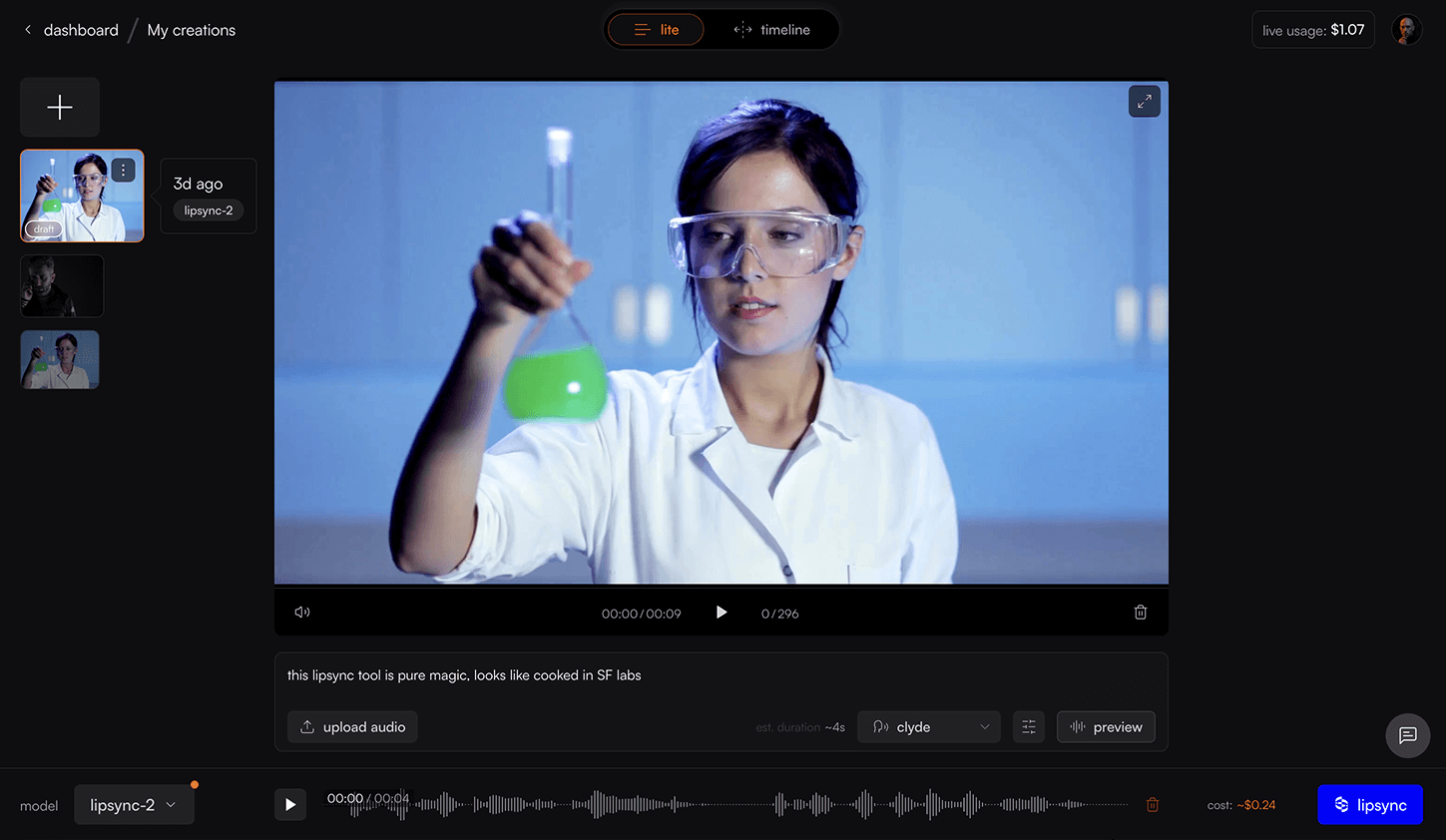
- More room for your video - Studio Lite now gives you more space to see your work with cleaner audio input controls for TTS, uploads, and URLs.
- Lipsync on the go - Complete mobile redesign with most features available in a cleaner, touch-optimized interface.
- Assets in Studio Lite - Access and manage your assets directly within Studio Lite for seamless project collaboration.
- Multiple segments support - Generate API now supports syncing different audio/TTS inputs to specific video segments, enabling precise control over multi-part lipsync projects with audio cropping capabilities. Learn more
Improvements
- TTS script now remembered when editing previous generations
- Improved timeline tracks virtualization with more lightweight implementation, making interactions 60fps smooth
- Faster media parsing in Studio Advanced and Lite, making the experience more seamless
- Improved voice selector UI for better user experience
- Model picker and lipsync button now update correctly when using TTS
- Support chat bubble repositioned to prevent overlap with interface elements
- Updated usage calculation to account for applied credits
- Clicking ‘New Generation’ in Studio Advanced now opens a new draft with the generation’s inputs already filled in
- Improved error toasts and documentation for unsupported media inputs
Bug fixes
- Fixed toggle for switching between source and lipsynced videos within Studio Advanced
- Fixed click interaction in after deleting drafts and generations
- Fixed the generation result not getting updated in Studio Advanced after completion
- Fixed drag-and-drop not working for assets in Studio Lite